AC3 100% Sync Save Game (Full Homestead & Naval Missions)
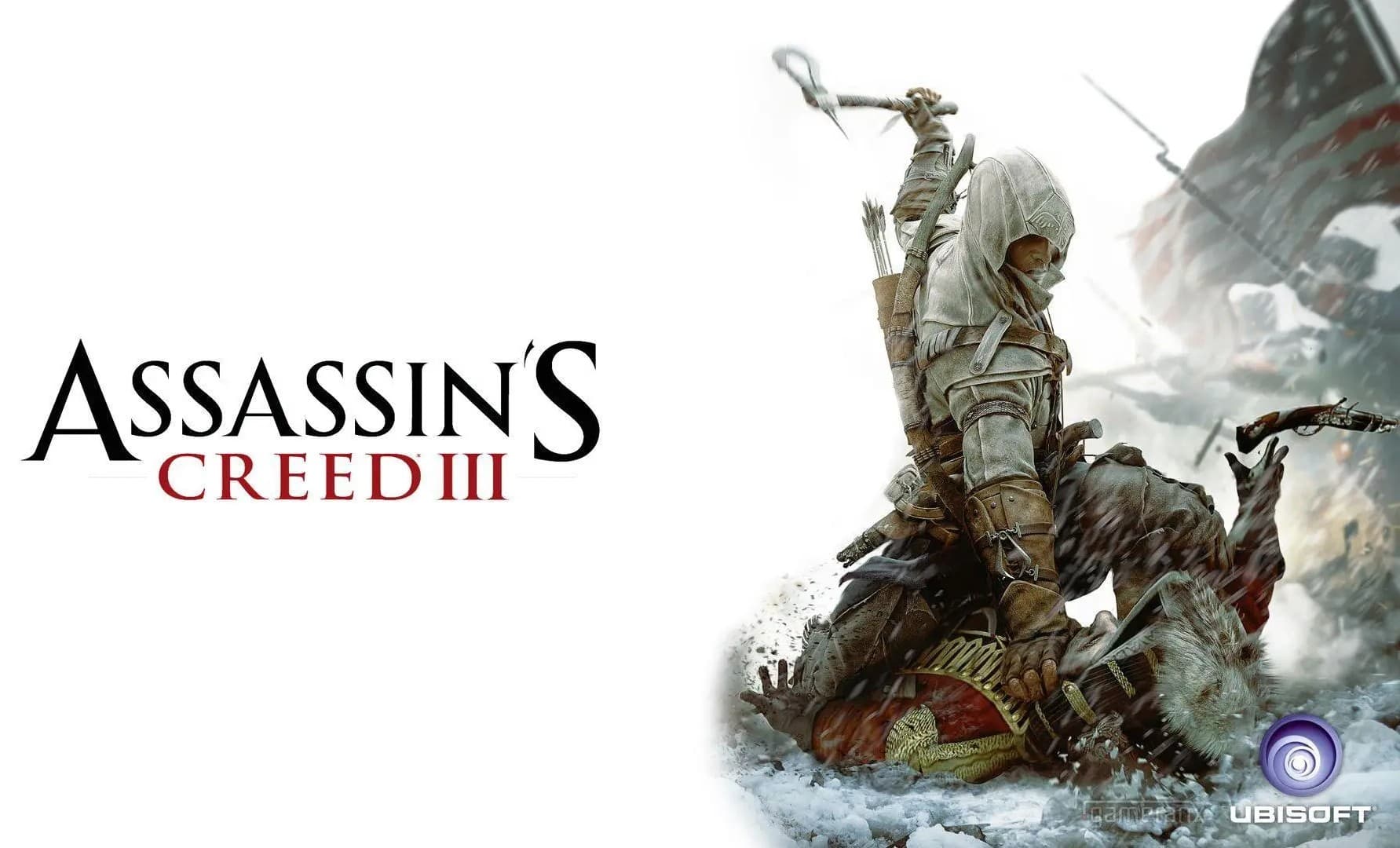
Assassin's Creed III
Save File Overview
This save drops you into a fully synced Assassin's Creed III campaign — main story sitting at 100% sync, every chapter cleared with full sync bonuses. All the naval missions are done too, including the trickier ones with the Aquila that usually take a few tries to nail perfectly. The homestead missions are wrapped up, all your recruits are settled in, and every peg leg trinket has been tracked down across the frontier — those things are scattered everywhere and finding them all is a slog, so this save skips that grind entirely. Club challenges from the Hunting Society, Assassin's, Carpenter's, and Brewer's clubs are all finished. Every weapon in the shop has been purchased, so your inventory's stacked with tomahawks, swords, bows, and everything else Connor can carry. If you just want to free roam the frontier and colonial cities with a maxed-out arsenal and zero unfinished business hanging over your head, this save is exactly that — clean, complete, ready to load.
Game Version & Compatibility
Version: PC — Steam and Ubisoft Connect (Uplay), works on the Remastered and original release builds
Progress: 100% Sync / All Homestead, Naval & Club Challenges Complete
File Size: 91KB
There are two versions of Assassins Creed 3 there. The original one that came out in 2012 and the Remastered version that was released later. This save file was made using the versions save format. This is the format that most people who bought the game on Steam or Ubisoft Connect are still using even if they have the version. If you have the version and the save file is not working right you should check the path to your save folder. Sometimes the Remastered version uses a different name for the App Data folder. But do not worry both versions of the game save files in a way so you just need to find the right folder. The game is not getting any updates so once you get the save file, to work you do not have to worry about anything else going wrong with Assassins Creed 3 later on.
Save Location Guide
C:\Users\YourName\AppData\Local\AC3SP\savegames\As always with Ubisoft titles. AppData is a hidden folder, so you will need to display it. For that to work, from File Explorer select View in the menu bar and tick the box that says "Show". After doing that, you will be able to view the AppData folder within your user profile. The path to it is: C drive > Users > YourUsername > AppData > Local. What you need is AC3SP. It is located there for Assassin's Creed 3. In case you have the game's latest version but no such folder, try ACIIIRemastered. It may be under some other name depending on the specific version of Assassins Creed you purchased. When purchased. Within that folder there is a subfolder named savegames. You need to go there. Before making changes to the saves, make sure you have closed all the related programs completely. If not done that way, you may not be able to change anything because the folders are locked. Just overwrite those you changed as necessary.
Installation Steps
Step 1- Close Game & Launchers
Ensure the game application environment is completely shut down before altering any backend save data.
- Exit the Assassin's Creed 3 game client.
- Close Steam or the Ubisoft Connect launcher completely.
- Check your system tray to ensure no background Ubisoft services are still running.
Step 2- Extract & Copy Saves
Unpack the downloaded 100% sync files from the archive and transfer them to the proper directory.
- Download the AC3 save file archive to your PC.
- Extract the files using 7-Zip or WinRAR to your desktop.
- Copy the extracted save files directly into your active AC3SP\savegames\ folder path.
Step 3- Launch Game & Verify
Boot up your game client and double-check that the 100% sync progress state is active.
- Start Steam or Ubisoft Connect and launch Assassin's Creed 3.
- Open the in-game Load Menu and select the slot where you placed the files.
- Go to the pause menu and check the stats screen to verify it shows 100% sync.
Backup & Safety Notes
Don't skip the backup step here. Before copying anything new in, grab your existing savegames folder and copy it to a safe spot outside the game directory — desktop, external drive, wherever. Rename it clearly so future-you doesn't get confused, something like `AC3_old_save_backup`. This matters extra for AC3 because the Remastered and original versions sometimes get cranky if save folders get mixed between them — if you've played both versions on the same PC, you might have two separate save directories, and accidentally dropping files into the wrong one can cause the game to act like your saves don't exist. Keeping a backup means you can always recover if that happens. One more thing: if Ubisoft Connect cloud sync is turned on, it can re-download your old cloud save right over the new one after launch. Either disable cloud sync before loading, or be ready to re-copy the files if your progress reverts.
Frequently Asked Questions
Does this save work for the Remastered edition or only the original release?
It's built on the original release's save format, but the structure carries over to Remastered in most cases. If Remastered doesn't recognize it immediately, try placing it in both the AC3SP and Remastered save folders if both exist on your system.
I have multiple save slots — will this overwrite all of them?
No, it only fills the specific slot you copy it into (or creates a new one, depending on naming). Your other save slots stay untouched.
Does 100% sync mean every single collectible in the game too?
100% sync refers to full story sync plus the major side content listed (homestead, naval, clubs, trinkets, weapons). Some smaller collectibles like Almanac pages or feathers may vary, but the core completion is fully there.
My game crashes to desktop right after loading this save — what should I check?
First confirm the save matches your game version (original vs Remastered). A version mismatch is the most common cause of a CTD right after loading a swapped save file.
Can I keep playing and add more progress on top of this save?
Absolutely — this is a normal save file, not a locked state. Load it up and keep playing free roam, side content, whatever you want, just like any other save.
Summary
So that's the full AC3 package — main story synced at 100%, homestead and naval missions cleared, every trinket and club challenge done, and a fully stocked weapon inventory waiting for you. No more chasing peg leg collectibles across half the frontier map. Make a copy of your current save before swapping anything, then drop this one in and you're set. Whether you're after the achievements, want to relive specific missions with full gear, or just want a fresh free-roam sandbox in colonial America, this one hands you a finished playthrough in under five minutes.